
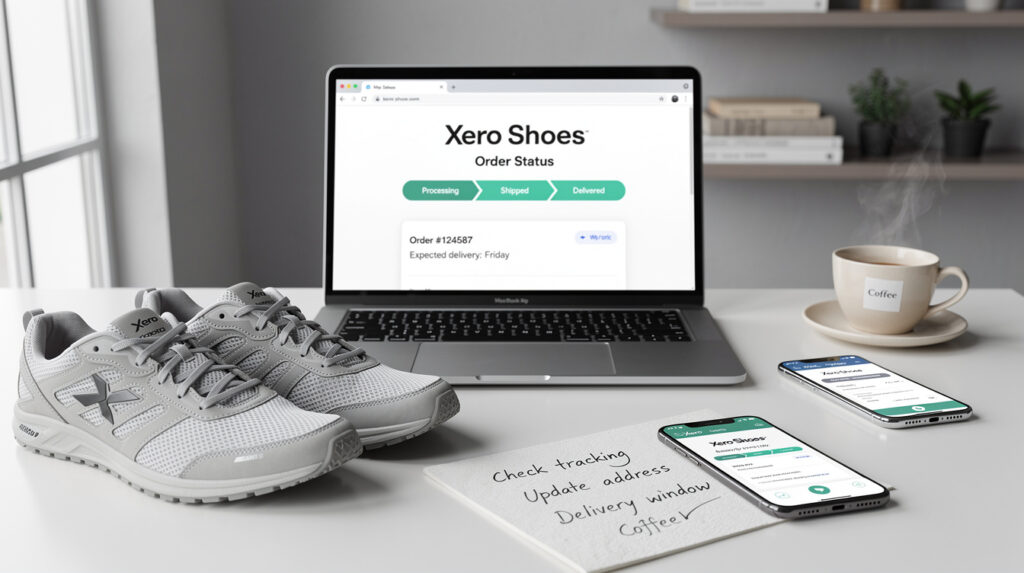
Track Your Xero Shoes Order Status: How to Check Tracking, Shipping Updates, and Delays
If I want to check where my Xero Shoes order is, I do not need a vague e-commerce guide. I need the right tracking page, clear shipping expectations, and a simple plan for what to do if the status stops updating.
🚚 Shipping updates
📧 Confirmation email
🛠️ Support help
Quick answer
If I ordered directly from Xero Shoes, the fastest way to check my shipment is to use the official tracking portal and the shipping confirmation email I received after the order left the fulfillment center.
If I do not have a tracking link yet, the first thing I check is whether the order has actually shipped. If it has not, I compare the wait against normal shipping expectations before assuming something is wrong.
If I ordered through MyShoesFinder or another seller, I use that seller’s tracking system instead of relying on Xero’s official tracking page.
Where I’d check my Xero Shoes order first
The best place to start is the official Xero Shoes tracking portal. That is the page most people are actually trying to find when they search for Xero order tracking, and it is the fastest route when I already have my shipping details.
If I think I may need help beyond tracking itself, I keep my guide to Xero Shoes customer service nearby too, because that becomes the next logical step when the tracking issue stops being normal and starts needing real support.
How I’d track a Xero Shoes order step by step
1) Find the confirmation email
I start by finding the order confirmation or shipping confirmation email. That is usually the easiest place to confirm the order number and spot the tracking link if the order has already shipped.
2) Check whether the order has shipped yet
This matters more than people think. If I do not have tracking yet, it does not always mean something is wrong. Sometimes it simply means the package has not been scanned by the carrier yet or has not left fulfillment. Xero’s shipping information says you receive a shipping confirmation email with tracking once the order leaves the fulfillment center.
3) Use the official tracking portal
Once I have the needed details, I use the official Xero tracking page instead of guessing through random third-party tools. That gives me the cleanest answer fastest.
4) Compare the tracking status with the shipping timeline
If an order appears stalled, I compare the last update with normal processing and shipping expectations before assuming it is lost. Xero help content notes that orders typically ship within a short business-day window, though high-volume periods can take longer.
What the most common Xero Shoes order statuses usually mean
I do not want vague labels. I want to know what they mean in real life. These are the statuses I pay attention to most:
| Status | What I take it to mean |
|---|---|
| Order confirmed | The order was received successfully, but it may not have shipped yet. |
| Processing | The order is being prepared and packed before carrier pickup. |
| Shipped | The package has left fulfillment and should have live carrier tracking. |
| In transit | The carrier has the package and it is moving through the network. |
| Out for delivery | The package is on the local delivery route and should arrive soon. |
| Delivered | The carrier marked it as delivered, so I check the mailbox, doorstep, and any safe-drop location first. |
What I’d do if my Xero Shoes tracking is not updating
This is usually where people get frustrated, but I try to keep the process simple:
- Check whether the order actually shipped yet
- Refresh the carrier page after a few hours instead of every few minutes
- Look for the shipping confirmation email again, including spam or promotions folders
- Compare the delay against normal shipping expectations
- Contact support when the status is clearly stuck longer than it reasonably should be
If the issue starts looking less like a normal delay and more like a real fulfillment problem, I move from tracking into support and returns. That is where my guides on customer service and Xero Shoes return policy become more useful than the tracker itself.
How long I’d wait before worrying
I would not panic the second the status looks quiet. According to Xero’s shipping information and support content, a short processing window is normal, but high-volume periods like sales, holidays, or launches can slow things down. That means a brief silence is not automatically a problem.
What matters more is whether the order is still within a reasonable processing and shipping range. If it is, I wait. If it clearly is not, then I escalate.
If you are also trying to avoid sizing-related exchanges that can stretch the whole process out, it is worth checking my Xero Shoes fit guide and sizing instructions before placing the next order.
If I ordered from MyShoesFinder instead of directly from Xero
If the purchase was made through MyShoesFinder or another retailer, I do not rely on the Xero tracking page automatically. I check the order email from the seller I actually purchased from, then I log into the relevant account area or contact that seller directly.
For site-level help on this side, the most useful pages are My Account and Contact Us.
My final takeaway
Tracking a Xero Shoes order should not be complicated. In most cases, I only need three things: the official tracking page, the shipping confirmation email, and a realistic sense of when a delay is normal versus when it needs support.
If I keep those three pieces straight, the process becomes simple: track first, compare timing second, contact support third.
FAQ
How do I track my Xero Shoes order?
I use the official Xero Shoes order tracking portal and the shipping confirmation email I received after the order shipped.
Why is my Xero Shoes order not updating?
Sometimes the package has not shipped yet, or the carrier has not posted a fresh scan. I usually wait a bit, recheck the shipping email, and only contact support when the delay clearly goes beyond normal timing.
How long does Xero Shoes take to ship?
Orders are usually processed within a short business-day window, but sales, holidays, and new launches can make things take longer than usual.
Can I track a Xero Shoes order without the email?
The email is the easiest route, but if it is missing, I check the account area or contact customer support with the order details I still have.
What if my Xero Shoes order says delivered but I do not have it?
I check the doorstep, mailbox, neighbors, and safe-drop areas first, then contact the carrier or support if it still cannot be found.

Henry Harrington is a passionate author and content creator at My Shoes Finder, where he explores a wide range of topics related to footwear, lifestyle, and personal growth. With a keen eye for detail and a love for storytelling, Henry engages readers by sharing insights, tips, and personal anecdotes that resonate with his audience. His commitment to delivering high-quality content has established him as a trusted voice in the online community, inviting readers to step into new perspectives and discover their unique paths.
See also:
 Xero Shoes Customer Service: Contact Options, Hours, And Fastest Ways To Get Help
 Xero Shoes Return Policy: Returns, Exchanges, And Refunds Explained
 Xero Shoes Black Friday Deals: What To Buy, When To Shop, And How To Save
 Xero Ridgeway Chelsea Boots: Fit, Features, And Who They’re Best For
 Who Founded Xero Shoes? The Origin Story Behind The Brand
 Xero Shoes Sales Timing And Offers: How To Save More Before You Buy



This guide is super helpful, especially the emphasis on checking the confirmation email for tracking links. I remember my first order from Xero Shoes; I was so excited, but I found myself anxiously refreshing the tracking page every few hours. It made me realize how important it is to have a clear understanding of shipping expectations—it’s so easy to jump to conclusions when an update doesn’t come as quickly as hoped.
It’s really helpful that you highlighted the importance of tracking and shipping updates—especially in an era where we all seem to want instant gratification! I’ve had a few experiences where I was left wondering about my orders, especially during peak seasons, and keeping an eye on shipping expectations can definitely reduce that anxiety.
I completely relate to your experience—I think we’ve all been there, anxiously tracking a package like it’s a major sporting event. It’s interesting how our expectations have shifted, isn’t it? We’ve grown accustomed to instant updates and near-instant delivery, and when that doesn’t happen, it can feel a bit like we’re waiting for the other shoe to drop.
I totally agree with you on that. The immediacy we experience in so many areas of life really amplifies the frustration when things don’t go as planned with shipments. I’ve had my share of order anxiety, especially during the holidays. It’s like you’re just waiting for that little notification, and when it doesn’t come, you can’t help but spiral into worst-case scenarios.
I totally get that feeling of uncertainty with orders—it’s such a relief to track them. Speaking of finding solutions, I recently came across some insights on how Xero Shoes can really help with back pain and posture, which might be worth a look if you’re curious about better support and comfort.
‘Xero Shoes For Back Pain And Posture: What Helps, What Doesn’t, And How To Transition’
https://myshoesfinder.com/xero-shoes-for-back-pain-relief-and-improved-posture/.
It’s interesting to see how vital the logistics and tracking process has become for consumers in today’s fast-paced e-commerce environment, especially when it comes to niche products like Xero Shoes. Your breakdown of the order tracking system is clear, but I wonder if there’s more that could be done by companies to streamline this process and enhance customer experience.
This guide could not have come at a better time for me! I recently ordered a pair of Xero Shoes, and the shipping process felt more like a guessing game than a clear-cut experience. I appreciate the emphasis on checking the tracking portal and knowing when to be proactive if things stall.
Ah, the exhilarating saga of tracking packages! It’s like waiting for a pizza that just as easily could end up at the neighbor’s house instead of yours. I must admit, there’s a slight thrill that comes with the anticipation of your new Xero Shoes arriving, along with that small twinge of anxiety that creeps in – especially if the tracking stops updating and you’re left wondering if your shoes fell victim to some sort of shipping Bermuda Triangle. Seriously, where do those lost packages even go?
I love how straightforward this guide is! I recently tracked an order, and it was a bit confusing since I had forgotten which confirmation email it was in. It got me wondering about how much we rely on digital communication for these updates now. It’s wild how a missed email can delay our excitement for new shoes! I’ve also had a few hiccups with third-party sellers, so I really appreciate the reminder to check the right system for tracking. Do you think it would help if there were more standardized tracking formats across platforms? It could save a lot of time and frustration! What have others experienced with their order tracking?
I can relate to that experience — it’s surprising how much digital communication shapes our excitement around purchases. I remember a time when I was eagerly waiting for a package, and the tracking link led me to a maze of information that just added to my confusion instead of clarifying things. It’s funny how a missed email or a vague notification can turn what should be a joyful moment into a bit of a hassle.
This post addresses a common concern many online shoppers face—tracking their orders. I appreciate the clear breakdown of steps for checking order status. The distinction between checking with Xero Shoes directly versus third-party sellers is particularly useful. I’ve experienced discrepancies in tracking when ordering from various platforms, so having that guidance can really help alleviate anxiety during the waiting period.
It’s great to see a focus on clear order tracking, especially with so many people relying on online shopping these days! I’ve found that using the tracking links from the confirmation emails can be a real lifesaver, but I’ve also run into situations where the status goes silent for a bit. It’s so frustrating waiting for updates, especially when you’re excited about a new pair of shoes!
It’s so important to have clear tracking and shipping expectations when ordering online, especially for something like Xero Shoes that are all about comfort and movement. I remember waiting eagerly for my first pair — checking the tracking page almost obsessively! It’s interesting how much order fulfillment can vary depending on the seller, though; when I ordered from a third-party, I ran into confusion because their tracking system wasn’t as straightforward.
I appreciate how clear and practical this guide is! Tracking orders can definitely be a bit stressful, especially when you’re looking forward to a new pair of shoes. It’s interesting how online shopping has evolved—remember the days when you’d just wait for a package to show up without any updates? Now, having instant access to tracking info feels almost like having a chat with your order.
I appreciate how you’ve laid out the process for tracking Xero Shoes orders in such a clear and actionable way. It’s interesting how something as simple as a pair of shoes can end up becoming a bit of a puzzle when it comes to knowing where they are in the shipping process. I remember when I ordered my first pair of Xero Shoes and felt that mix of excitement and anxiety when I hit ‘confirm’ on my purchase. The anticipation of wanting to know when they’d arrive is real!
It’s great to hear that you found the process for tracking Xero Shoes orders helpful. That anticipation you mentioned is such a relatable feeling—it’s almost like waiting for a gift to arrive! It’s interesting how that thrill can be mixed with a bit of anxiety, especially when you’re eager to start using your new shoes.
It’s super helpful that you laid out the process for tracking Xero Shoes orders so clearly. I’ve definitely been in that frustrating spot where I’m checking updates for my order, and it’s like trying to decipher a riddle!
I completely relate to your experience! Tracking an order can be so nerve-wracking, especially when you’re excited about new shoes. I’ve often found that the shipping confirmation email is a game changer—it’s like getting a mini roadmap to my package. It’s fascinating how technology has made this process so much more efficient, yet there’s still that underlying anxiety if updates stall.
It’s interesting to think about how our expectations around shipping and tracking have evolved in the e-commerce era. I find it frustrating when tracking isn’t as transparent as I’d hope. The logistics of getting a product—from the fulfillment center to my doorstep—should feel seamless, especially when there’s a sense of excitement around anticipating new shoes.
This guide raises an important point about the frustration that can come with tracking orders, especially in today’s fast-paced world where we expect quick updates. It’s interesting how one small delay or lack of communication can lead to anxiety, as I’ve experienced with my own online purchases.
It’s interesting how vital it is to have a reliable order-tracking system, especially in a world where online shopping has become the norm. The frustration of waiting for a shipment can really heighten when transparency is lacking. I’ve found that some companies do a better job than others in providing clear updates, which can either reassure me or add to my anxiety about an order.
I appreciate how clearly you’ve laid out the steps for checking order status with Xero Shoes. It’s so important to have direct resources, especially when we’re eagerly awaiting a new pair of shoes. I’ve had a few experiences with online orders where the tracking info seemed stuck for days, and it can be quite frustrating.
I really appreciate this guide on tracking Xero Shoes orders; it seems so straightforward, yet it’s surprising how many people overlook these simple steps. I’ve had my fair share of anxious moments waiting for packages, especially when there’s a bit of uncertainty about where they are in the shipping process. Your advice about checking the confirmation email first resonates with me—there’s something comforting about having that tangible proof that the order is indeed en route.
It’s interesting how much the experience of online shopping has evolved, yet tracking orders can sometimes feel as challenging as it did in the early days. I appreciate the straightforward approach you’ve taken to address the common concerns about tracking Xero Shoes orders. Having clear expectations about shipping timelines and updates can significantly reduce the anxiety that often comes with waiting for a package.
I can totally relate to the frustration of tracking orders online! There’s something so nerve-wracking about the waiting game, especially when you’re excited about your new Xero Shoes. It’s like the anticipation builds up, and when nothing seems to happen in the tracking, it can feel like you’re left hanging.
This guide provides a much-needed clarity for navigating the sometimes frustrating process of order tracking. Having ordered from Xero Shoes previously, I’ve experienced both smooth deliveries and the occasional hiccup with tracking updates. It can be particularly stressful when you’re eager to receive a product, especially one as beneficial for foot health as Xero Shoes.